GFPGAN vs Real-ESRGAN: Face Restoration and Upscaling Are Not the Same Thing
GFPGAN restores faces, Real-ESRGAN enlarges whole images. Here is the real difference, which one your photo needs, and why the order you run them matters.

A large share of disappointing AI photo results come from one misunderstanding: people reach for an upscaler when they need a face restorer, or the reverse. GFPGAN and Real-ESRGAN are the two models most often confused this way — partly because they come from the same lab, ship in the same tools, and are frequently run in the same command.
They solve genuinely different problems. Once that is clear, the right choice for a given photo becomes obvious, and so does the reason to use both.
The one-sentence difference
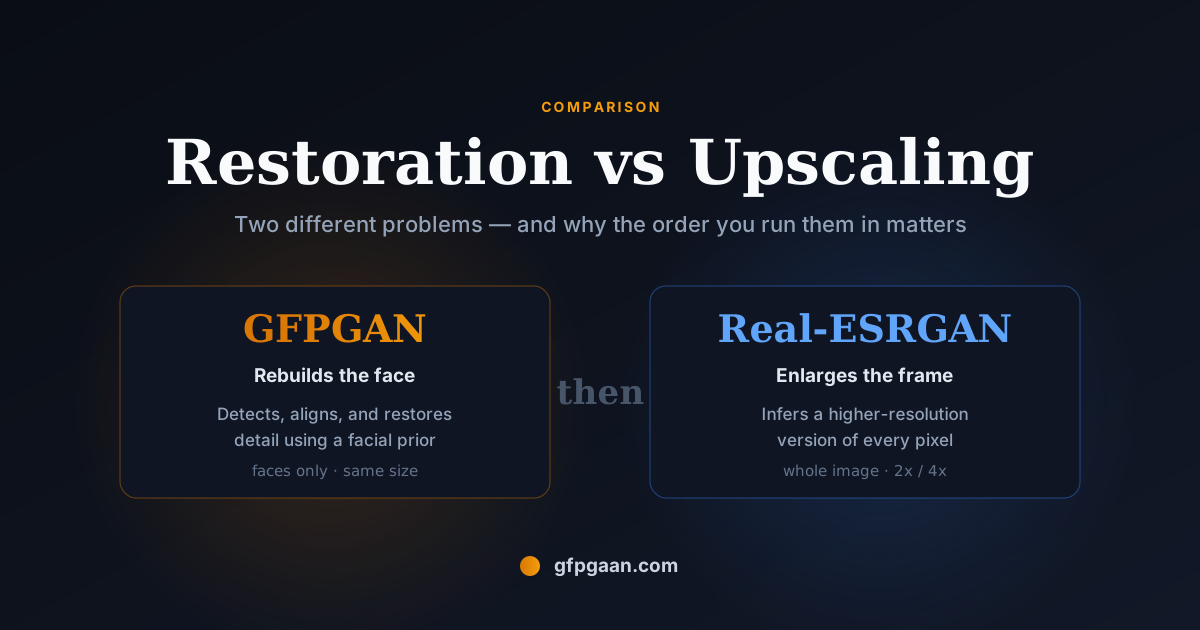
Real-ESRGAN makes an image bigger. It takes every pixel of the frame and infers a plausible higher-resolution version — buildings, fabric, foliage, sky, and faces alike, with no special treatment for any of them.
GFPGAN makes a face right. It detects faces, crops and aligns each one, rebuilds facial detail using a prior learned from a large corpus of real faces, and composites the result back into the original frame. Outside the detected face regions it does essentially nothing.
Everything else follows from that.
Side by side
| GFPGAN | Real-ESRGAN | |
|---|---|---|
| Problem solved | Blind face restoration | General image super-resolution |
| Operates on | Detected, aligned face crops | The entire image |
| Changes resolution? | Not inherently — it restores detail | Yes, that is its purpose (2×, 4×) |
| Non-face areas | Left alone | Fully processed |
| Fails when | No face is detected | Never, but faces stay soft |
| Typical use | Old portraits, blurry selfies, AI-generated faces | Landscapes, artwork, product shots, whole-frame enlargement |
| Origin | ARC Lab, Tencent PCG · CVPR 2021 | ARC Lab, Tencent PCG |
Why upscaling a face is not restoring it
An upscaler is trained to answer: given these pixels, what would this look like with four times as many? It has no concept of an eye, and no knowledge that human faces are bilaterally symmetric with a specific structure.
Feed it a badly degraded face and you get a larger badly degraded face. The blur is smoother and the edges are cleaner, but the eyes are still soft, the skin texture is still gone, and the result still reads as damaged — only now at higher resolution.
GFPGAN attacks a different question: given this degraded face, what did the actual face most likely look like? The generative facial prior supplies structure the input no longer contains. That is why it can recover convincing eyes from a source where the eyes are barely a few dark pixels — and also why, on a very poor source, it can drift away from the real person. It is filling in from a model of faces in general, and that cuts both ways.
Use both — in this order
For a degraded photo containing people, the standard pipeline is:
- GFPGAN first, to restore the faces while the frame is still at its original size.
- Real-ESRGAN second, to enlarge the whole image including the now-restored faces.
The order matters. Upscaling first means GFPGAN receives an image whose face detail has already been guessed at by a model that does not understand faces — you are asking it to restore an interpolation rather than the original evidence. Restoring first preserves the real signal for the model best able to use it.
This is exactly why GFPGAN’s own inference script takes a --bg_upsampler realesrgan flag: it runs GFPGAN on the faces and hands the background to Real-ESRGAN, then composites. When you use that flag, you are already running both — many people do so without realising it.
python inference_gfpgan.py -i inputs/photo.jpg -o results -v 1.4 -s 2 \
  --bg_upsampler realesrgan
That single command restores the faces, upsamples the background, and writes a composited result.
Which one do you actually need?
Use GFPGAN when the subject is a person and the face is the point — old family portraits, scanned prints, compressed profile photos, low-light phone shots, or faces produced by Stable Diffusion that look almost but not quite right.
Use Real-ESRGAN when there is no face, or the face is incidental — landscapes, artwork, screenshots, product photography, or any image you simply need larger.
Use both when the photo is an old picture of people that you also want to print or display large. This is the most common real-world case, and it is what our guide to restoring old and blurry photos walks through end to end.
Use neither when the image is already sharp at the size you need. Both models change pixels; running them on a good photo makes it different, not better.
In Stable Diffusion tooling
Inside AUTOMATIC1111 and ComfyUI the distinction is preserved but easy to miss, because the two appear in different parts of the interface:
- Face restoration (GFPGAN or CodeFormer) is a separate toggle, applied after generation to fix faces.
- Upscalers (Real-ESRGAN and its variants) appear in the Extras tab and in hires-fix, and resize the whole image.
Enabling an upscaler will not fix an off-looking generated face, and enabling face restoration will not make your 512-pixel output larger. Our Automatic1111 and ComfyUI setup guide covers where each control lives.
What about CodeFormer?
CodeFormer is a face restorer, so it competes with GFPGAN, not with Real-ESRGAN. Its distinguishing feature is a fidelity weight that lets you trade visual quality against staying close to the original identity. If you are choosing between face restorers rather than between restoration and upscaling, our CodeFormer vs GFPGAN comparison is the relevant page — and the wider model comparison adds GPEN.
Frequently Asked Questions
Can Real-ESRGAN fix a blurry face?
Not really. It will produce a larger, smoother version of the blurry face, but it cannot reconstruct facial detail that is no longer present, because it has no model of what faces look like. For that you need a face restoration model such as GFPGAN or CodeFormer.
Does GFPGAN increase image resolution?
Not by itself — its job is restoring detail in detected faces. The -s flag in the inference script produces a larger output by invoking an upscaler for the rest of the frame, so any resolution increase you see is Real-ESRGAN doing that part of the work.
Should I run GFPGAN before or after upscaling?
Before. Restore the faces at the original resolution, then upscale the finished image. Upscaling first forces the face restorer to work from interpolated pixels rather than the original evidence, and the result is measurably worse.
Are GFPGAN and Real-ESRGAN made by the same people?
Both came out of the ARC Lab at Tencent PCG and share contributors, which is why they integrate so cleanly — GFPGAN can call Real-ESRGAN directly as its background upsampler.
Can I use them without installing anything?
Yes. Both are available as hosted endpoints on Replicate and as Hugging Face Spaces. Both process server-side, so your image is uploaded — see our download and Replicate guide for the details.